paskvil annotate
image and screenshot annotation in the browser
open it at annotate.paskvil.com - a full screen app, so it lives on its own subdomain
a quick way to mark up a screenshot before sending it on - circle the bug, add an arrow and a note, blur out the e-mail address. without signing up anywhere, and without the image leaving the computer
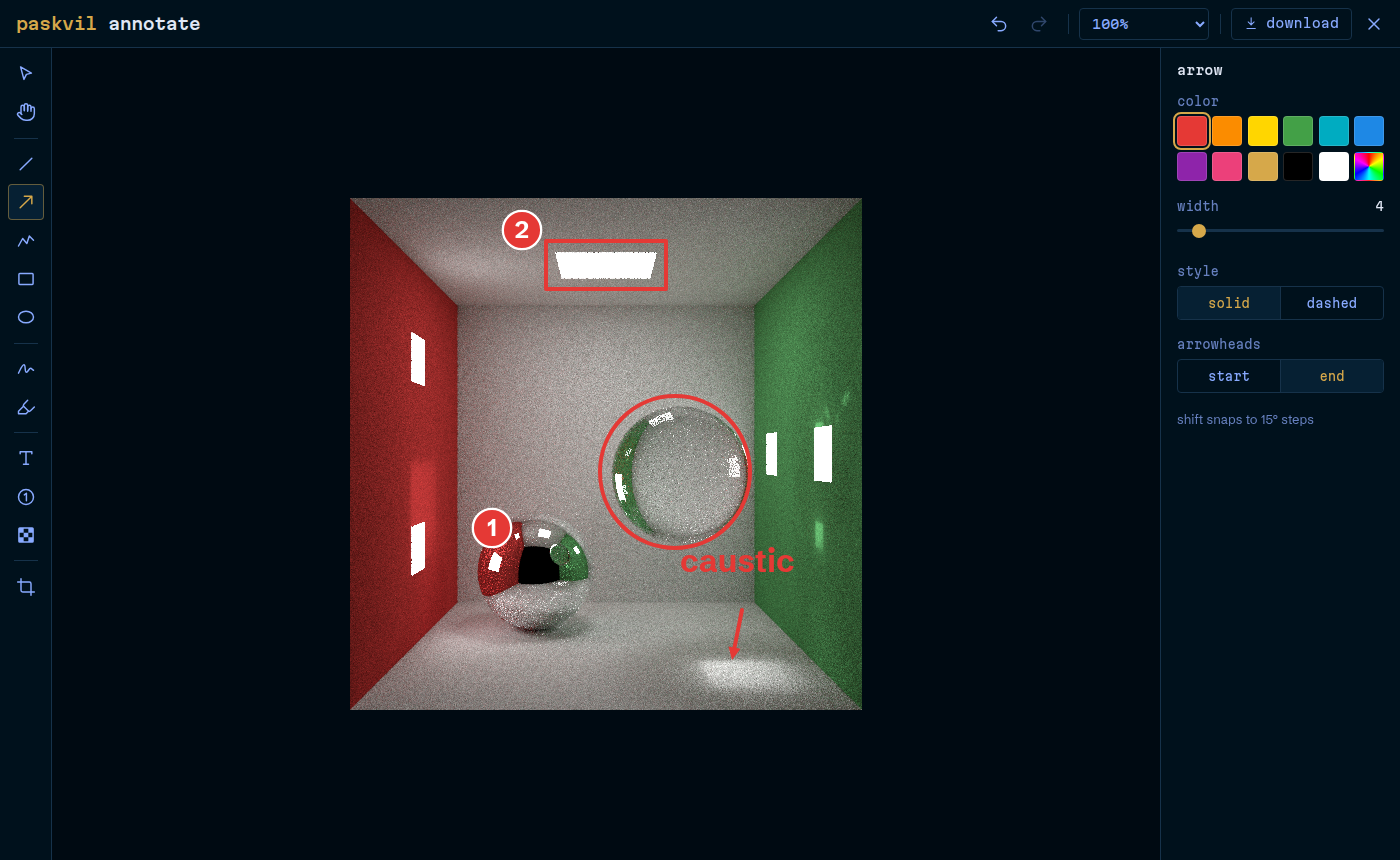
- open an image from disk, drag & drop it, or paste it with
ctrl+v - tools: line, arrow, polyline, rectangle, ellipse, freehand, highlighter, text, numbered steps, pixelate (for redacting) and crop
- everything stays editable - select an annotation any time later to move it, resize it, or change its color, width or font
- crop doesn't throw anything away, it can be changed or undone later
- undo/redo, zoom and pan, keyboard shortcuts for every tool
- export as png or jpg at the image's full resolution, or copy the result to the clipboard
no backend, nothing is uploaded - it's plain static files, so it works just as well served from your own machine
source code
on GitHub, BSD 2-Clause license - vanilla JS and one <canvas>, no build step, no dependencies